
This guide will help you subscribe to the Piper Pride Productions rehearsal calendars.
This process will need to be done for each calendar you wish to subscribe to. Let's get started!
Outlook.com
Subscribing to a calendar in your Outlook account.
-
Using a Desktop or Laptop computer, go tohttps://outlook.live.com/calendar
-
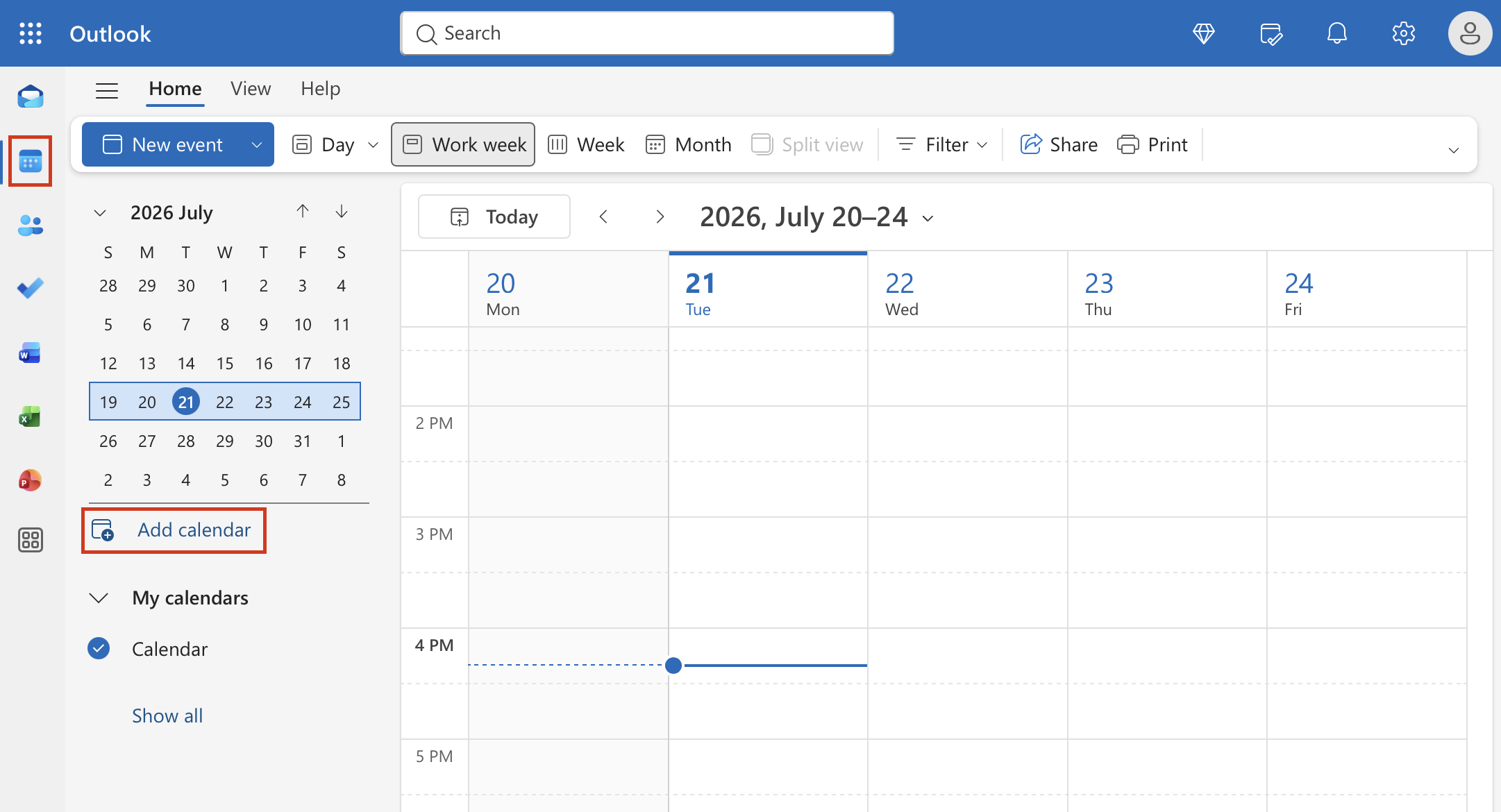
Click the Add calendar button.
-
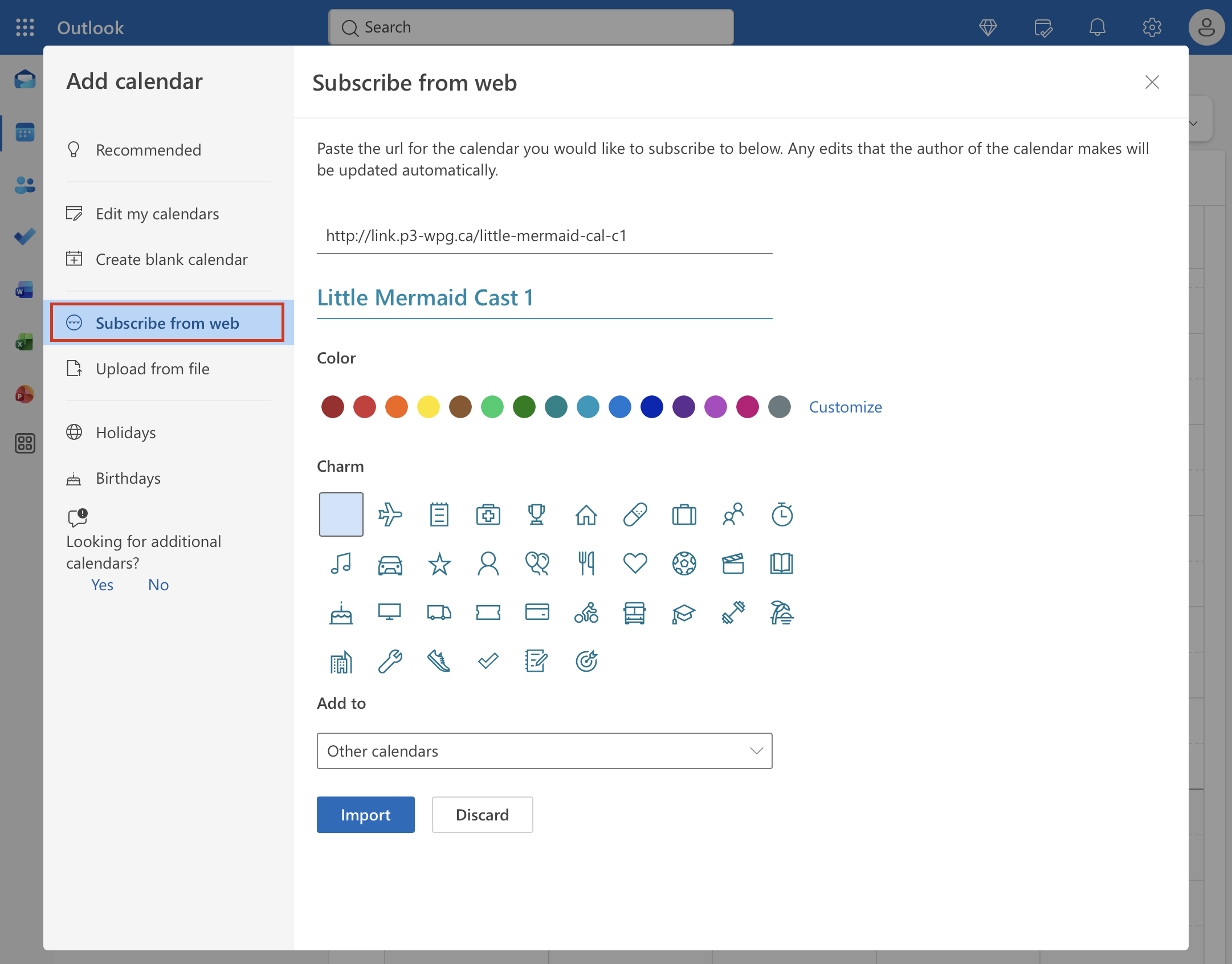
From the sidebar, select Subscribe from web. In the text box, enter the URL to your subscribed calendar. Optionally, add a Calendar Name, Colour, and Charm.
-
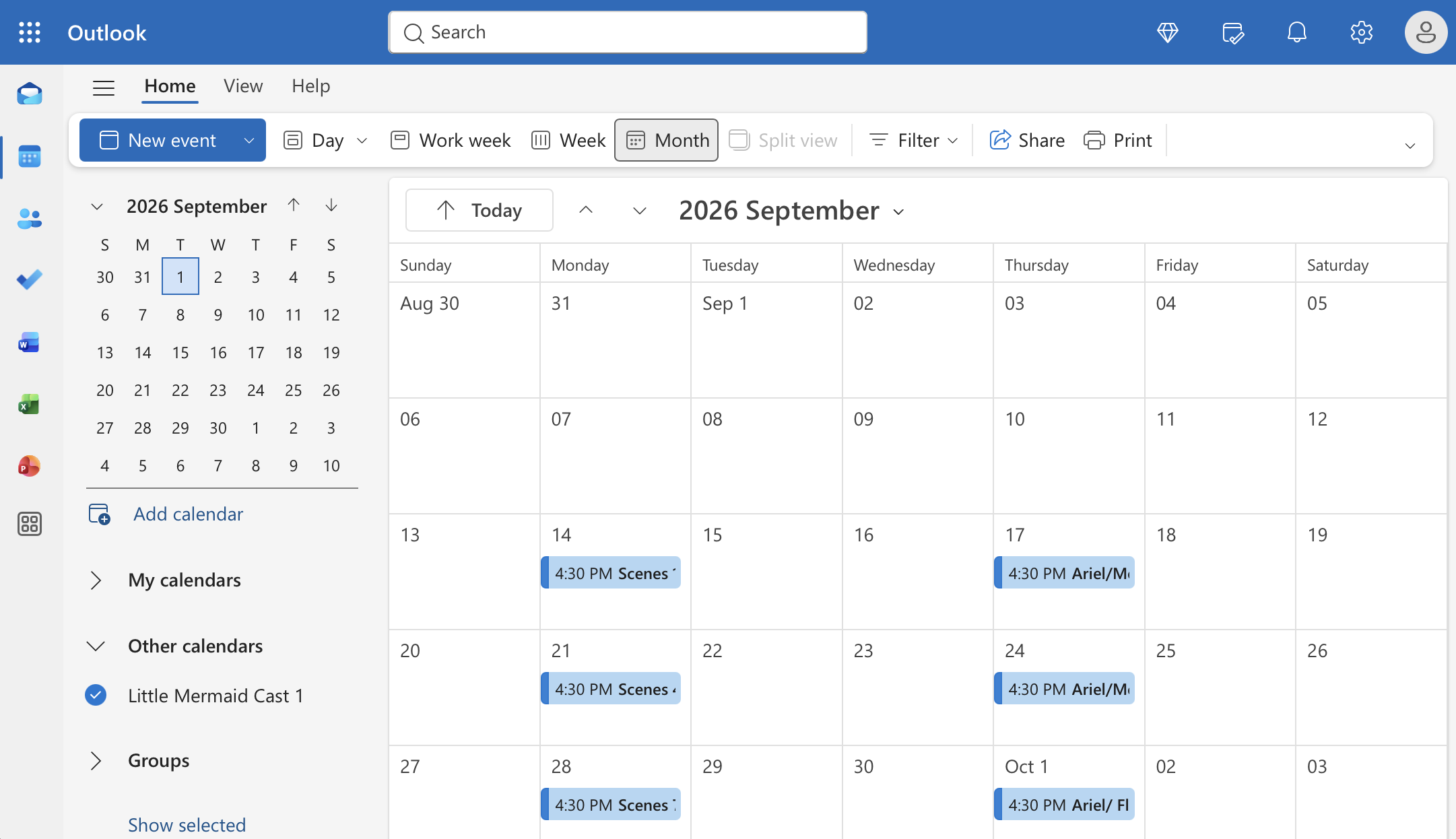
The calendar will now appear under the Other calendars heading in the sidebar.
-
At this point, you may need to go into your calendars app on your mobile device to enable the newly subscribed calendar.
Tip: It might take up to 24 hours for changes to show in your Outlook Calendar.
For more information, check out the Microsoft help articles here.